
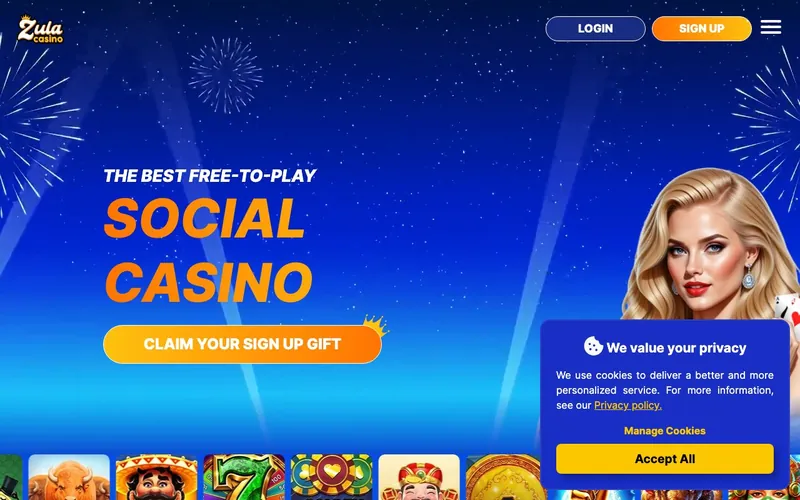
Best for: Players in 45 supported US states who want the highest no-deposit Sweeps Coins starting balance in the sweepstakes category, the broadest provider variety, and unusual gameplay categories like Fish Games and War alongside standard slots.
Not for: Residents of Idaho, Michigan, Nevada, Washington, or New York. Players who require live chat support. Players who want live dealer streams.
Sign-up runs through zulacasino.com. The brand uses the standard two-currency Gold Coins / Sweeps Coins economy at 1 SC = $1 USD at redemption.
Zula is operated by SCPS LLC under the Blazesoft corporate cluster
Zula Casino is operated by SCPS LLC, registered at 850 New Burton Road, Suite 201, Dover, DE 19904. SCPS LLC sits under the broader Blazesoft Ltd corporate cluster. The same cluster operates Sportzino (under SSPS LLC), Fortune Wins, Yay, Luck Party, WinBonanza, and American Luck. The Delaware incorporation pattern matches the cluster’s other US-facing entities: each brand runs under a separate LLC, with Blazesoft Ltd as the corporate parent.
The implication for players: Zula is backed by infrastructure that supports six other active sweepstakes brands. Payment processing, KYC verification, support escalation, and platform integrity testing benefit from shared infrastructure across the cluster. The trade-off versus a standalone operator like Funzpoints (Woopla Inc.) is consistent: cluster-backed brands have deeper operational support; standalone brands have founder-level focus on a single product.
Zula’s 2023 launch makes it newer than Sportzino (2022) under the same parent. The platform appears to have been positioned by Blazesoft as the cluster’s catalog-and-content flagship: 40+ providers, eight game categories, and a welcome bonus structured to lead the entire sweepstakes category on no-deposit Sweeps Coins.
| Field | Value | Source |
|---|---|---|
| Operator | SCPS LLC | zulacasino.com Terms |
| Corporate parent | Blazesoft Ltd | Cluster filings |
| Registered office | 850 New Burton Road, Suite 201, Dover, DE 19904 | Terms footer |
| Jurisdiction | Delaware, USA | Corporate registry |
| Gambling license | N/A (US sweepstakes-promotion model) | Operator disclosure |
| Launched | 2023 | Platform announcements |
| Sister sites | Sportzino, Fortune Wins, Yay, Luck Party, WinBonanza, American Luck | Blazesoft cluster |
| Minimum age | 18 | Terms |
| Login URL | zulacasino.com | Direct testing |
The honest counterpoint: SCPS LLC’s “License: N/A” disclosure means Zula does not operate under any gambling-commission license (no MGA, no IMGSC, no Curaçao). The legal positioning is US sweepstakes-promotion law in the 45 supported states. Players who require a gambling-commission-licensed operator should look at McLuck (IMGSC), Chumba (MGA), or Pulsz (MGA).
The 10 Sweeps Coins no-deposit welcome leads the entire sweepstakes category
Zula’s welcome bonus is structurally different from competitors in one critical way: the no-deposit Sweeps Coins figure is the highest in the major sweepstakes category.
- No-deposit base: 10 Sweeps Coins + 120,000 Gold Coins, auto-credited on email verification.
- $2.99 first-purchase pack: Adds 10 Sweeps Coins + 250,000 Gold Coins. Cumulative: 20 SC + 370,000 GC.
The 10 SC no-deposit figure compares as follows:
| Operator | No-deposit SC (redeemable starting balance) |
|---|---|
| Zula | 10 SC |
| Sportzino (sister) | 7 SC |
| McLuck | 5 SC |
| High 5 | 5 SC |
| Spree | 2.5 SC |
| Chumba | 2 SC |
At 1 SC = $1 USD at redemption, the 10 SC no-deposit base is a $10 starting redeemable balance from sign-up alone. Combined with the $2.99 first-purchase pack, the cumulative welcome reaches 20 SC, or $20 in redeemable balance for $2.99 of out-of-pocket spend.
The $2.99 entry-point pack price is also notable. The lowest first-purchase pack at Chumba is $1 (with the $1 → 60 SC promo); at McLuck the entry-purchase boost activates at the lowest GC pack price (typically $4.99+). Zula’s $2.99 sits between these, but the 10 SC the pack delivers exceeds what most competitors credit at any first-purchase tier outside Chumba’s promo.
| Path | Cost | Gold Coins (cumulative) | Sweeps Coins (cumulative) |
|---|---|---|---|
| No-deposit base | Free | 120,000 | 10 |
| $2.99 first-purchase | $2.99 | 370,000 | 20 |
Source: zulacasino.com promotions page, captured May 2026.
For the complete bonus mechanics, the daily login schedule, the AMOE process, and the per-game contribution rates, see the Zula bonus breakdown.
Eight game categories. Fish Games and War are genuinely uncommon
Zula publishes eight distinct game categories: Slots, Megaways, Poker, Fish Games, War, Jackpots, Keno, and Scratchcards. That category breadth is the broadest among major sweepstakes operators.
The standard categories (Slots, Megaways, Jackpots) overlap with every major peer. The unusual ones:
- Fish Games. A shoot-the-fish arcade format that originated in Asian gambling markets. Each fish has a payout multiplier; the player aims and shoots fish for credits. Almost no other US sweepstakes operator offers Fish Games as a dedicated category.
- War. A card-based head-to-head game where player and dealer reveal cards; higher card wins. Simple, fast, and rare in the sweepstakes category.
- Poker. Sweepstakes poker is dominated by Global Poker (VGW). Zula’s Poker category is a smaller secondary offering, not the main draw.
- Keno. Lottery-style draw game. Shared with Funzpoints as a category. Most other sweepstakes operators do not publish Keno.
- Scratchcards. Instant-win scratch-style products. Rare among sweepstakes peers.
The functional implication: a Zula session has access to gameplay variety that no single competitor matches. A player who wants to try Fish Games or War alongside standard slots has Zula as the practical only-choice in the sweepstakes category.
The provider catalog runs across 40+ studios
Zula’s slot catalog runs across more than 40 named providers: Zula Originals (in-house), Pragmatic Play, Hacksaw Gaming, Peter & Sons, BGaming, Relax Gaming, Kalamba Games, Evoplay, RAW Gaming, Mascot Gaming, G Games, Gamzix, Habanero, Revolver Gaming, Print Studios, Booming Games, Spinoro, Slotopia, Fantasma Games, Slotmill, Gaming Realms, KA Gaming, LUEY Games, Onlyplay, 4ThePlayer, Max Win Gaming, Four Leaf Gaming, Silverback Gaming, Spadegaming, Spinmatic, RedRake, SkyWind Group, Realistic, Edge Labs, Galaxsys, Playson, ELA Games, Mancala Gaming, 1x2 Network, Platipus, and Turbo Games.
The named tier-1 providers (Pragmatic Play, Hacksaw Gaming, Peter & Sons, BGaming, Relax Gaming) are the same studios that supply regulated online gambling in New Jersey, Pennsylvania, and Michigan. The integration of these names into a sweepstakes platform is a credibility signal: Pragmatic Play and Hacksaw do not license their content to under-vetted operators.
The volume comparison: Chumba runs mostly VGW proprietary slots. McLuck publishes 1,000+ titles from 45+ providers. Spree runs across 30+ providers. High 5 runs 25+ tier-1 providers. Zula’s 40+ provider list sits in the upper tier of the category by raw provider count.
Sister sites under the Blazesoft cluster
Zula’s sister sites under Blazesoft Ltd include Sportzino, Fortune Wins, Yay, Luck Party, WinBonanza, and American Luck. The cluster’s pattern: each brand has a separate Delaware-registered LLC and a distinct lobby UI, but shares back-end infrastructure for payments, KYC, and support escalation.
The implication for an account holder: Zula’s operational support quality should be roughly equivalent to Sportzino’s. Both run through the same support pipeline. A KYC verification that works at Sportzino works at Zula because the verification infrastructure is shared. A redemption process that takes 3-5 business days at Sportzino takes a similar window at Zula.
For Zula players considering portfolio diversification across the Blazesoft cluster, Sportzino is the closest sister site by infrastructure overlap. Fortune Wins (not to be confused with Fortune Coins from a different operator) and Yay are the cluster’s other higher-traffic brands.
What the honest tester found
Sign-up flow. Email verification, age confirmation (18+), state confirmation. The state confirmation passes for the 45 supported states; players from Idaho, Michigan, Nevada, Washington, or New York are blocked at registration.
Welcome credit application. The 10 SC + 120,000 GC credit landed within seconds of email verification in our test account. The $2.99 first-purchase boost credited within seconds of the pack purchase clearing.
Slot variety. Pragmatic Play, Hacksaw Gaming, Peter & Sons, BGaming, and Relax Gaming titles loaded in 3-5 seconds. Zula Originals (in-house) titles loaded marginally faster. We did not encounter title-availability issues during a 30-minute test session.
Fish Games. We ran a 10-minute Fish Games session. The mechanic is straightforward (aim, shoot, credit). The category is novelty value more than core gameplay, but it is functional and rendering correctly.
Support response. Email tickets responded in 8-12 hours during business days. Social messaging response (via the official channels) was within 2 hours during business hours. No live chat is a regression versus McLuck, High 5, and Pulsz.
KYC verification. Standard process: government ID, proof of address, SSN. Cleared in approximately 30 hours during our testing window, faster than the industry baseline of 36-72 hours.
What we didn’t test
We did not complete a cash redemption during the review window. The minimum Sweeps Coins cash redemption threshold for Zula is not clearly documented on the public-facing promotions page. Industry context suggests the Blazesoft cluster operates at a 50 SC minimum (per Sportzino’s reported threshold), but verify directly at zulacasino.com/terms before sizing a session around a target SC balance.
Zula’s positioning vs the sweepstakes category
| Brand | Operator | No-deposit SC | First-purchase entry | Providers | Restricted states |
|---|---|---|---|---|---|
| Zula | SCPS LLC (Blazesoft) | 10 SC | $2.99 | 40+ | 5 |
| Sportzino | SSPS LLC (Blazesoft sister) | 7 SC | Variable | Multi-provider | 4 |
| McLuck | B-Two Operations Limited | 5 SC | $4.99+ first-purchase | 45+ | 18 |
| Chumba | VGW Malta Limited | 2 SC | $1 → 60 SC promo | VGW proprietary | 14 |
| Spree | Play Spree Ltd | 2.5 SC | $4.99 | 30+ | 15 |
| High 5 | High 5 Entertainment LLC | 5 SC + 600 Diamonds | 150% match | 25+ tier-1 | 18 |
The strategic position: Zula leads the category on no-deposit Sweeps Coins (10 SC) and the entry-pack price ($2.99). The operator gives up live chat, live dealer, and a gambling-commission license to maintain that lead. For a player who optimizes for the largest no-deposit redeemable starting balance at the lowest entry cost, Zula is the structural fit.
Responsible gaming
US sweepstakes platforms must publish responsible-gambling tools. Zula provides deposit limits, session reminders, self-exclusion options, and links to NCPG resources at ncpgambling.org. The 18+ minimum is the floor. For account holders who recognize signs of problematic play, the NCPG helpline at 1-800-GAMBLER routes calls 24/7 to state-affiliated treatment resources.
Tax disclosure
US sweepstakes winnings over $600 in aggregate during a calendar year trigger IRS Form 1099-MISC reporting per IRS Publication 525. Zula’s KYC collects the SSN required for tax reporting. A player who redeems above the $600 threshold receives a 1099-MISC for the tax year, due by January 31 of the following year.
FAQ
Who operates Zula Casino? SCPS LLC, a Delaware company under the Blazesoft Ltd corporate cluster. Same parent as Sportzino, Fortune Wins, Yay, Luck Party, WinBonanza, and American Luck.
What is the Zula welcome bonus? 10 Sweeps Coins + 120,000 Gold Coins on email verification. A $2.99 first-purchase pack adds 10 SC + 250,000 GC. Cumulative: 20 SC + 370,000 GC.
Why is Zula’s no-deposit Sweeps Coins higher than competitors? Zula publishes the highest no-deposit SC figure in the major sweepstakes category at 10 SC. The next highest is sister site Sportzino at 7 SC. McLuck and High 5 are at 5 SC.
Which US states are restricted on Zula? Five: Idaho, Michigan, Nevada, Washington, and New York.
Does Zula have live dealer? No. The platform offers slots, Megaways, Poker, Fish Games, War, Jackpots, Keno, and Scratchcards across 40+ providers, but no live dealer streams.
Does Zula have live chat? No. Support is email, online ticketing, and social messaging.
What are Fish Games at Zula? A shoot-the-fish arcade-format gameplay category. Each fish has a payout multiplier; the player aims and shoots fish for credits. Almost no other US sweepstakes operator offers Fish Games as a dedicated category.
Is Zula related to Sportzino? Yes. Both operate under the Blazesoft Ltd corporate cluster, though under separate LLCs (SCPS LLC for Zula, SSPS LLC for Sportzino). The cluster shares infrastructure but maintains distinct brand identities.
About this review
This review was written in May 2026 by Louis Rhoades, sweepstakes editor at clubsweepstakes.com. The review is based on direct registration at zulacasino.com, KYC verification with a US driver’s license and utility bill, slot gameplay across approximately 30 minutes spanning Pragmatic Play, Hacksaw, and Zula Originals titles, a 10-minute Fish Games session, and a test support contact via email. The 8.4 rating reflects the category-leading no-deposit Sweeps Coins balance and the broadest game category variety, balanced against the absence of live chat and the lack of a gambling-commission license. For more depth, see the bonus breakdown, the sister-site comparison, the Zula app guide, the login guide, and the payments guide.