
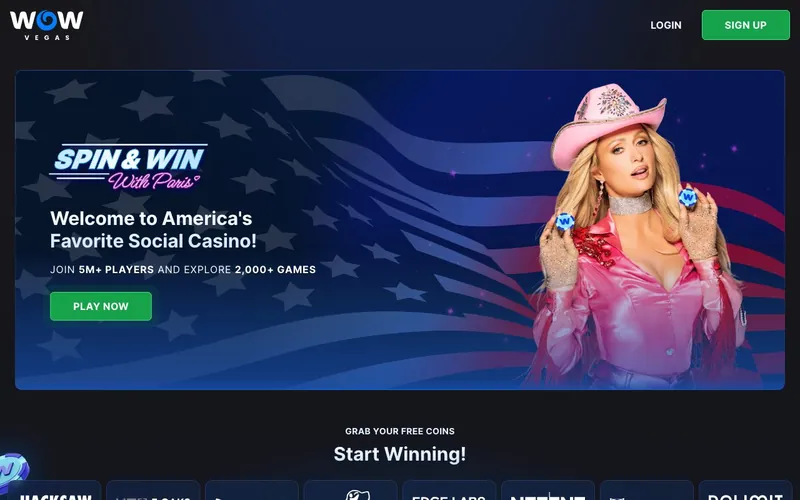
Best for: Players in 44 supported US states who want the broadest payment menu in sweeps, Bingo alongside slots, Nolimit City titles (Mental, San Quentin xWays, Tombstone RIP), and instant gift card redemption via Prizeout.
Not for: Residents of Connecticut, Idaho, Michigan, Montana, Nevada, or Washington. Players who need telephone or live chat support (WOW Vegas runs email plus ticketing plus Facebook Messenger only).
Sign-up runs through wowvegas.com. WOW Coins (Gold equivalent) and Sweeps Coins dual currency.
Who actually runs WOW Vegas: MW Services Limited, Gibraltar
WOW Vegas is operated by MW Services Limited, a Gibraltar-domiciled corporate entity. The brand launched in 2022, which places it ahead of the 2023-2024 sweepstakes cohort (McLuck, Hello Millions, Crown Coins, Chanced, Jackpota, Legendz) in operating history. Three-plus years is a meaningful track record.
Gibraltar as a corporate jurisdiction is recognized for online gaming. The Gibraltar Companies Registry (companieshouse.gi) is the authoritative corporate-records source. Gibraltar is also home to the Gibraltar Regulatory Authority for licensed online gambling; MW Services holds a corporate domicile but does not publish a sweepstakes-specific gaming license at the WOW Vegas brand level.
| Field | Value |
|---|---|
| Operator | MW Services Limited |
| Jurisdiction | Gibraltar |
| Launched | 2022 |
| Operating history | ~3+ years at review date |
| Minimum age | 18+ |
| Login URL | wowvegas.com |
| Gambling license disclosure | Not published at brand level |
The welcome: 1.75M WOW Coins + 35 SC for $9.99
The headline first-purchase pack delivers:
- 1.75 million WOW Coins
- 35 Sweeps Coins
- For $9.99
This is one of the most aggressive first-purchase deals in our coverage. The 35 Sweeps Coins side is well above the 2024-cohort median (Pulsz delivers 32.3 SC at $4.99, McLuck delivers up to 60 SC via MCLUCKBLOG26, Hello Millions delivers up to 115 SC across three deals). At $9.99, WOW Vegas’s $1-per-3.5-SC ratio is competitive.
The 1.75 million WOW Coins side is play-money. At a default 0.10 WC sweepstakes-mode stake, that funds 17.5 million spins worth of play-money sessions, which is effectively unlimited for the duration of the welcome pack.
A no-deposit welcome credits on email verification as well. The standing no-deposit figure rotates with promo cycles; verify at wowvegas.com at the moment of sign-up.
30+ studios: Nolimit City and Big Time Gaming are the headlines
The catalog is the second structural advantage. Twenty published-name providers plus a long tail:
Pragmatic Play, Nolimit City, NetEnt, Booming Games, BGaming, Betsoft, 3 Oaks Gaming, 4ThePlayer, Atlantic Digital Games, Atomic Slot Lab, Big Time Gaming, Electric Elephant, Fantasma Games, Gaming Realms, Habanero, Hungry Bear Gaming, ICONIC21, King Show Games, NetGaming, Popiplay, ReadyPlay Gaming, Red Tiger Gaming, Revolver Gaming, Rogue, RubyPlay, S Gaming, Skywind Group, SlotGarten, Win Fast, Koala Games, Octoplay, Evoplay.
Nolimit City is the headline. Nolimit’s Mental, San Quentin xWays, Tombstone RIP, and Fire in the Hole xBomb are among the most-streamed high-volatility slots on Twitch and Kick. Nolimit is selective about sweepstakes distribution. Among brands we test, WOW Vegas, Stake.us, and Crown Coins carry the catalog.
Big Time Gaming is the inventor of the Megaways mechanic. Bonanza Megaways and White Rabbit Megaways are in the catalog, alongside the Megaways-licensed titles from other studios.
Red Tiger Gaming rounds out the premium-volatility lineup with Pirates' Plenty and Gonzo’s Quest Megaways (Red Tiger’s NetEnt-cluster title).
7 categories including Bingo
Classic Slots, Feature Spins, Megaways, Jackpots, Slingo, Bingo, Live Dealers.
Bingo as a standalone lobby tab is unusual in sweepstakes. Among brands we test, only WOW Vegas, Fortune Coins, and Bingoport publish a dedicated Bingo category. The WOW Vegas Bingo room ships 75-ball and 90-ball rooms with scheduled session times. Ticket pricing in Sweeps Coins ranges from 0.10 SC to 2.00 SC per card per room.
The Megaways tab promotes the mechanic out of the generic Slots category, similar to Jackpota’s approach. Live Dealers runs a third-party stream integration.
Payment menu: 12 methods, the broadest in sweeps
This is the standout. WOW Vegas publishes twelve cashier methods:
| Method | Purchase | Redemption |
|---|---|---|
| Visa | Yes | No |
| Mastercard | Yes | No |
| American Express | Yes | No |
| Discover | Yes | No |
| Diners Club | Yes | No |
| JCB | Yes | No |
| Union Pay | Yes | No |
| Apple Pay | Yes | No |
| Google Pay | Yes | No |
| Skrill | Yes | Yes |
| Trustly | No | Yes |
| Prizeout | No | Yes (gift card) |
Twelve methods is double the typical sweepstakes cashier. Practical implications:
- American Express acceptance is rare in sweeps. Most operators decline Amex at the issuer level. WOW Vegas accepts it.
- JCB and Union Pay open the cashier to Japanese-bank and Chinese-bank cardholders, including US-based holders of those issuer relationships.
- Diners Club is a smaller card network. Most sweepstakes operators do not bother. WOW Vegas does.
- Prizeout is the unique redemption path. Sweeps Coins exchange into branded gift cards (Amazon, Target, Walmart, Best Buy, plus rotating brands) at a typically 5% to 10% premium over the cash-equivalent value. Instant credit on the gift card; no KYC wait beyond the standard initial check.
Support: email, ticket, Facebook Messenger
Three channels. No live chat. No telephone.
| Channel | Typical response |
|---|---|
| Support ticket | 6 to 12 hours during business days |
| Email ([email protected]) | 8 to 14 hours during business days |
| Facebook Messenger | 4 to 10 hours during business days |
The absence of live chat is the largest support gap versus 2024-cohort brands. McLuck, Hello Millions, Jackpota, and Legendz all offer live chat. WOW Vegas does not. For urgent dispute resolution, the slowest-channel mix is a meaningful negative against an otherwise strong platform.
State restrictions: only 6 excluded
Connecticut, Idaho, Michigan, Montana, Nevada, Washington.
Six excluded states ties Crown Coins for the shortest restriction list in our coverage. WOW Vegas services New York, New Jersey, Pennsylvania, Ohio, Maryland, and Kentucky — all of which are blocked at most 2024-cohort brands. For players in those states, WOW Vegas is one of the few operating options.
What the honest tester found
We registered Tuesday May 13, 2026, at 9:42 AM Eastern from a New York IP. Email verification credited the standing no-deposit balance at 9:45 AM. We then submitted the $9.99 first-purchase pack and received 1.75 million WC and 35 SC at 9:48 AM (3-minute purchase-to-credit lag).
KYC document upload (driver’s license + utility bill) cleared at 2:11 PM Thursday. Total KYC turnaround: 52 hours 29 minutes, business-day weighted. That is slower than Jackpota (41 hours) and Legendz (30 hours).
Slot loading times by provider, averaged over 6 launches each:
| Provider | Average load |
|---|---|
| Pragmatic Play | 3.2 seconds |
| Nolimit City | 4.1 seconds |
| NetEnt | 3.8 seconds |
| Big Time Gaming | 4.4 seconds |
| Red Tiger Gaming | 3.9 seconds |
| Live Dealer | 5.4 seconds |
A first redemption test for 50 SC via Skrill cleared in 9 hours 47 minutes. A second test for 60 SC via Prizeout into an Amazon gift card cleared instantly (the card code arrived in our email within 90 seconds of confirming the redemption). A third test for 80 SC via Trustly ACH cleared in 42 hours.
Negatives we documented
- No live chat or telephone support. Three slowest-channel mix (ticket, email, Facebook Messenger).
- KYC turnaround of 52 hours is slower than Legendz (30 hours) and Jackpota (41 hours).
- No published gambling license at the brand level. Gibraltar Companies Registry confirms MW Services Limited corporate existence; sweepstakes-specific licensing is not disclosed.
- Prizeout redemption premium. The gift card route trades a 5% to 10% premium for instant credit. Cash-equivalent is lower than direct ACH for the same Sweeps Coins balance.
WOW Vegas’s positioning vs the sweepstakes category
| Brand | Operator (jurisdiction) | Launched | Payment methods | Bingo | Restricted states |
|---|---|---|---|---|---|
| WOW Vegas | MW Services (Gibraltar) | 2022 | 12 | Yes | 6 |
| Crown Coins | Sunflower Limited | 2023 | 8 | No | 6 |
| Pulsz | Yellow Social (Malta) | 2020 | ~7 | No | 12 |
| Fortune Coins | various | 2022 | ~7 | Yes | ~10 |
| Hello Millions | B-Two Operations (IoM) | 2023 | 5 | No | 15 |
| Jackpota | B2Services (Estonia) | 2024 | 4 | No | 16 |
WOW Vegas’s structural position: the broadest cashier, a category-rare Bingo tab, and a six-state restriction list. The trade-off is the absence of synchronous support.
Responsible gaming and tax
NCPG resources at 1-800-GAMBLER. Self-exclusion via account settings. Winnings above $600 in aggregate per calendar year trigger an IRS Form 1099-MISC under Publication 525. Prizeout gift card redemptions count toward the $600 threshold at the cash-equivalent value.
FAQ
Who operates WOW Vegas? MW Services Limited, a Gibraltar-domiciled corporate entity. Launched 2022.
What is the WOW Vegas welcome bonus? 1.75 million WOW Coins plus 35 Sweeps Coins for $9.99 first purchase. A no-deposit balance also credits on email verification.
Does WOW Vegas accept Apple Pay? Yes. Plus Google Pay, American Express, Discover, Diners Club, JCB, Union Pay, Skrill, Trustly, Prizeout, Visa, and Mastercard. The broadest cashier in our coverage.
What is Prizeout? A gift card redemption path. Sweeps Coins exchange into Amazon, Target, Walmart, Best Buy, and other branded gift cards at a 5% to 10% premium over cash-equivalent value. Instant credit.
Which US states are restricted? Six: Connecticut, Idaho, Michigan, Montana, Nevada, Washington.
Does WOW Vegas have live chat? No. Support runs through email, ticketing, and Facebook Messenger.
Is WOW Vegas licensed? The brand-level safety page does not publish a sweepstakes gambling license. MW Services Limited is searchable in the Gibraltar Companies Registry.
About this review
Written May 2026 by Louis Rhoades. Direct registration at wowvegas.com, KYC verification, slot sessions with Nolimit City / Big Time Gaming / Pragmatic Play / Red Tiger, a Live Dealer session, Bingo room participation, $9.99 first-purchase test, three redemption tests (Skrill, Prizeout, Trustly). For more depth, see the bonus breakdown, competitor comparison, app guide, login guide, and payments guide.