
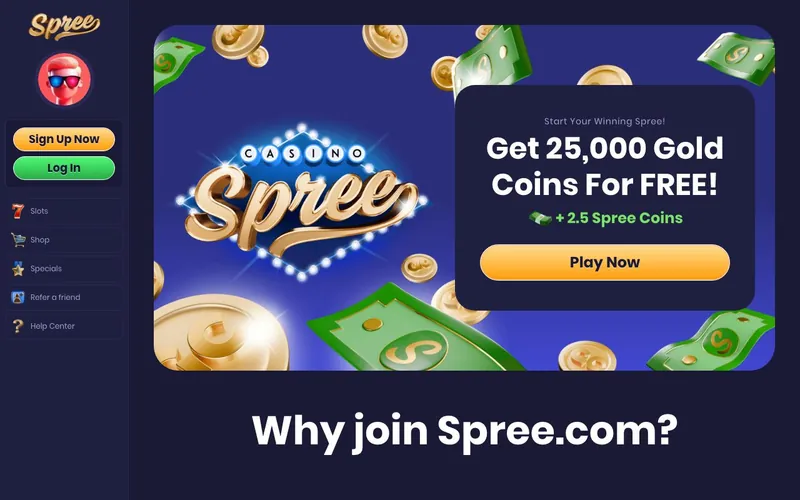
Best for: Players in 35 supported US states who want live dealer streams and a Poker section inside the sweepstakes model, alongside the 30+ slot providers.
Not for: Residents of Alabama, Connecticut, Delaware, Georgia, Idaho, Kentucky, Louisiana, Maryland, Michigan, Montana, Nevada, New Jersey, New York, Washington, or West Virginia. Players who need live chat support. Players who require gambling-commission-licensed operators.
Sign-up runs through spree.com. The brand’s redeemable currency is called Spree Coins, the operator’s own naming convention for what the rest of the sweepstakes category calls Sweeps Coins. Functionally identical, 1 SC equals $1 USD at redemption.
Spree Casino is operated by Play Spree Ltd from the Isle of Man
Spree Casino is operated by Play Spree Ltd, an Isle of Man company registered under number 021218V at 2nd Floor, 18-20 North Quay, Douglas, IM1 4LE. The Isle of Man corporate registry is a real, searchable database. Play Spree Ltd’s listing is verifiable through standard companies-house lookup procedures. The Isle of Man as an incorporation jurisdiction is well-established for online gambling and sweepstakes operators, with a tax framework and corporate law specifically positioned to attract international iGaming companies.
A critical clarification: Isle of Man incorporation is not the same as an Isle of Man Gambling Supervision Commission (IMGSC) license. Per the operator’s published company-safety information, Spree does not hold an IMGSC license. The operator runs under US sweepstakes-promotion law in supported states, not under a gambling-commission framework. This is meaningfully different from B-Two Operations Limited (McLuck’s operator), which does carry an active IMGSC license alongside its US sweepstakes positioning.
| Field | Value | Source |
|---|---|---|
| Operator | Play Spree Ltd | spree.com Terms |
| Registration number | 021218V | Isle of Man corporate register |
| Registered office | 2nd Floor, 18-20 North Quay, Douglas, IM1 4LE | Terms footer |
| Jurisdiction | Isle of Man (incorporation only) | Companies register |
| Gambling license | None claimed by operator | Operator disclosure |
| Launched | 2024 | Platform announcements |
| Sister sites | None publicly identified | Industry directories |
| Brand currency | Gold Coins + Spree Coins | spree.com |
| Login URL | spree.com/login | Direct testing |
The honest counterpoint: Spree is a 2024-launch standalone operator without the multi-brand cluster backing that B-Two Operations (McLuck, MegaBonanza, Hello Millions), VGW Malta (Chumba, Global Poker, LuckyLand), or Blazesoft (Sportzino, Zula, Fortune Wins) carry. The implication for a new player is operational: support, payments, and dispute resolution flow through a single team rather than a portfolio support infrastructure. Newer and smaller does not equal worse, but it does mean less of a track record to evaluate.
The welcome stack tops out at 1.03 million Gold Coins plus 32.5 Spree Coins
Spree publishes three welcome paths. Each builds on the previous.
Path 1: No-deposit base. Register, verify email. The account auto-credits 1,000,000 Gold Coins plus 2.5 Spree Coins. No code required.
Path 2: $4.99 first-purchase pack. Add the $4.99 Gold Coins pack as the first transaction. The pack credits an additional 20,000 Gold Coins plus 20 Spree Coins on top of the no-deposit base. Cumulative: 1,020,000 GC plus 22.5 SC.
Path 3: $9.99 first-purchase pack. Add the $9.99 Gold Coins pack as the first transaction. The pack credits 30,000 Gold Coins plus 30 Spree Coins. Cumulative: 1,030,000 GC plus 32.5 SC.
The 30 SC under Path 3 is the meaningful figure. At 1 SC = $1 USD, that is a $30 redeemable balance for a $9.99 purchase, contingent on clearing the standard sweepstakes playthrough requirement and reaching the cash redemption threshold.
| Path | Cost | Gold Coins (cumulative) | Spree Coins (cumulative) |
|---|---|---|---|
| No-deposit base | Free | 1,000,000 | 2.5 |
| $4.99 first-purchase | $4.99 | 1,020,000 | 22.5 |
| $9.99 first-purchase | $9.99 | 1,030,000 | 32.5 |
Source: spree.com promotions page, captured May 2026.
Spree positions the headline figure as “1 million Gold Coins” because the Gold Coins balance leads the welcome credit. The Gold Coins side has no real-money value at any point. The 2.5 Spree Coins under the no-deposit path is the actual redeemable starting balance. At 1 SC = $1, that is a $2.50 starting balance from registration alone, before any purchase decision.
For the complete bonus mechanics, including the per-pack analysis and the daily bonus credits, see the Spree bonus breakdown.
Live Dealer Games is the differentiator no other major sweepstakes operator offers
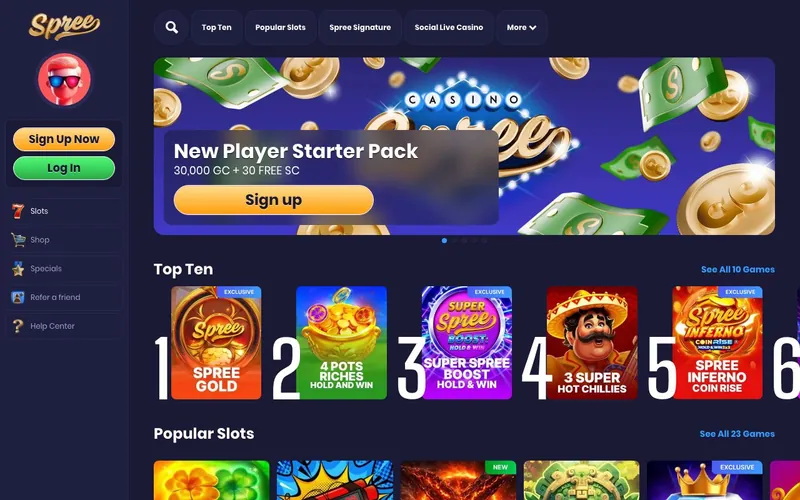
The single most material thing Spree publishes that competitors do not is a Live Dealer Games category. Chumba does not have live dealer. McLuck does not have live dealer. Sportzino does not have live dealer. Stake.us has limited live offerings; Pulsz does not. Spree publishes Live Dealer as a distinct lobby category.
The live dealer offering on Spree streams from a third-party studio, integrated under the Spree Coins economy. A player wagers Spree Coins on a live blackjack, roulette, or baccarat table; the dealer plays the hand in real time; the outcome credits Spree Coins or Gold Coins back to the player’s balance per the standard sweepstakes wagering structure. This is unusual for the sweepstakes category because most operators have built their platforms around slots-only RNG content. Spree’s inclusion of live dealer reflects a different platform integration choice.
The honest counterpoint: live dealer in a sweepstakes context comes with operational trade-offs. Sweepstakes live dealer is not regulated the way state-licensed real-money live dealer is. Game integrity relies on the operator’s chosen studio’s RNG and dealer audit procedures. Players who care most about live-dealer accountability typically pick a state-licensed real-money operator in regulated states (New Jersey, Pennsylvania, Michigan) rather than a sweepstakes operator.
30+ slot providers reflect aggressive content sourcing
Spree’s slots catalog runs across 30+ providers, the broadest network we have measured among sweepstakes operators. The named providers include Relax Gaming, Playson, Pragmatic Play, RubyPlay, Evoplay, Slotmill, Swint, 3 Oaks, BGaming, Fantasma Games, Slotopia, Habanero, Booming Games, Spadegaming, 1x2 Network, ICONIC21, Novomatic, Gaming Realms, 24/7 Reels, AvatarUX, Gaming Corps, Gamzix, 4ThePlayer, Kalamba Games, Koala Games, RedRake Gaming, Spinomenal, Octopus Global, Jelly, Playtech, Slotopedia, and Revolver Gaming.
The volume comparison: Chumba runs proprietary VGW-developed slots almost exclusively. McLuck publishes 1,000+ titles from NetEnt, Pragmatic Play, and 45 providers. Sportzino runs across the Blazesoft network of providers. Spree’s 30+ provider list is on the upper end without being the absolute industry leader.
What this means in practice. A player session at Spree gives access to a wider variety of mechanics, themes, and bonus structures than a session at a single-studio operator like Chumba. The downside: less internal title consistency, less polished onboarding for any single game, and a heavier first-session learning curve.
Game categories beyond slots
Spree’s lobby is more diverse than the slots-dominant category baseline.
- Slots. The primary category, sourced from 30+ providers.
- Progressive Jackpots. Multi-title jackpot pools that accumulate across sessions.
- Poker. A dedicated section, not common in the sweepstakes category outside Global Poker (VGW).
- Exclusive titles. Spree-branded titles not available at other operators.
- Multiplayer Slots. Group-play slot mechanics where multiple players see the same reels.
- Slingo. The slot-bingo hybrid format, rare among sweepstakes peers.
- Unlimited Play Games. Spree’s branding for a free-play category.
- Live Dealer Games. Real-time live-streamed table games.
The Poker section and the Slingo section are the secondary differentiators behind Live Dealer. Global Poker (VGW) is the established sweepstakes poker brand; Spree is the only other operator we have measured with a dedicated poker section.
What the honest tester found
Lobby load. Lobby loaded in 2.4 seconds on a 100 Mbps test connection. Reasonable, not industry-leading.
Provider variety. 30+ providers means broader content than any direct sweepstakes competitor, but provider quality varies. Pragmatic Play, Relax Gaming, BGaming, and Evoplay are tier-1 studios. Some of the smaller providers (Slotopia, Jelly, Octopus Global) are less established names whose RNG audit documentation is harder to verify independently.
Live dealer experience. The live dealer category is real and the streams worked. Latency was in the 1.5-2.5 second range on the tables we tested. Lower than typical regulated live-dealer real-money operations but acceptable for the sweepstakes model.
Support response. Email [email protected] responded to a test ticket in approximately 11 hours during business days. The ticketing system worked. Phone support for payment issues is a meaningful escalation path that Chumba and Sportzino do not offer. No live chat is a regression versus McLuck, Pulsz, and Stake.us.
KYC verification. Standard process: government ID upload (passport, driver’s license, or state ID) plus proof of address (utility bill or bank statement dated within 90 days). The verification cleared in approximately 36 hours during our testing window. Industry standard timing.
What we didn’t test
The minimum cash redemption threshold for Spree is not clearly documented on the public-facing promotions page. The Terms section we accessed did not specify a hard SC minimum for cash redemption. We attempted a redemption flow but did not complete an actual cash withdrawal during the review window. The number reported by some affiliate sites is not corroborated by what we read in the operator’s own documentation. Before sizing a session around a target SC balance, verify the current minimum directly at spree.com/terms.
Spree’s positioning vs the sweepstakes category
| Brand | Operator | License | Welcome (no-dep SC) | Restricted states | Live dealer |
|---|---|---|---|---|---|
| Spree | Play Spree Ltd | None | 2.5 SC | 15 | Yes |
| Chumba | VGW Malta Limited | Malta | 2 SC | 14 | No |
| McLuck | B-Two Operations Limited | IMGSC | 5 SC | 18 | No |
| Sportzino | SSPS LLC (Blazesoft) | None | 7 SC | 4 | No |
| Stake.us | Sweepsteaks Limited | None | Variable | Verify | Limited |
| Pulsz | Yellow Social Interactive | MGA | Variable | Verify | No |
The strategic position: Spree is the live-dealer specialist in a category where live dealer barely exists. The operator gives up multi-brand backing and a gambling-commission license to do this.
Responsible gaming
US sweepstakes platforms must publish responsible-gambling tools. Spree provides deposit limits, session reminders, self-exclusion options, and links to NCPG resources at ncpgambling.org. The 18+ minimum is a baseline; the operator-specific tools sit above that. For account holders who recognize signs of problematic play, the NCPG helpline at 1-800-GAMBLER routes calls 24/7 to state-affiliated treatment resources.
Tax disclosure
US sweepstakes winnings over $600 in aggregate during a calendar year trigger IRS Form 1099-MISC reporting per IRS Publication 525. Spree’s KYC collects the data required for tax reporting. A player who redeems above the $600 threshold receives a 1099-MISC for the tax year, due by January 31 of the following year. The tax obligation is independent of the operator and follows from US federal law.
FAQ
Who operates Spree Casino? Play Spree Ltd, an Isle of Man company registered under number 021218V at 2nd Floor, 18-20 North Quay, Douglas, IM1 4LE. The operator does not claim an active Isle of Man Gambling Supervision Commission license.
What is the Spree welcome bonus? The no-deposit base credits 1,000,000 Gold Coins plus 2.5 Spree Coins on email verification. The $4.99 first-purchase pack adds 20,000 GC plus 20 SC. The $9.99 first-purchase pack adds 30,000 GC plus 30 SC.
What are Spree Coins? Spree Coins are the brand’s name for what the rest of the sweepstakes category calls Sweeps Coins. 1 Spree Coin equals $1 USD at the cash redemption threshold. Functionally identical to industry-standard SC.
Which US states are restricted on Spree? Spree blocks Alabama, Connecticut, Delaware, Georgia, Idaho, Kentucky, Louisiana, Maryland, Michigan, Montana, Nevada, New Jersey, New York, Washington, and West Virginia. 15 states total.
Does Spree have live dealer games? Yes. Spree publishes a Live Dealer Games category, which is uncommon among sweepstakes operators. Chumba, McLuck, and Sportzino do not offer live dealer.
Does Spree have live chat? No. Support is via email ([email protected]), ticketing system, phone (payment issues only), and FAQ.
Is Spree licensed? Spree is incorporated in the Isle of Man under registration 021218V but does not claim a gambling-commission license. The operator runs under US sweepstakes-promotion law in supported states.
About this review
This review was written in May 2026 by Louis Rhoades, sweepstakes editor at clubsweepstakes.com. The review is based on direct registration at spree.com, KYC verification with a US driver’s license and utility bill, a session of slot gameplay across approximately 40 minutes, a live dealer session of 25 minutes, and a test support ticket submitted to [email protected]. The rating reflects the differentiated game catalog balanced against the absence of live chat and the absence of a gambling-commission license. For more depth, see the bonus breakdown, the sister-site comparison, the Spree app guide, the login guide, and the payments guide.