
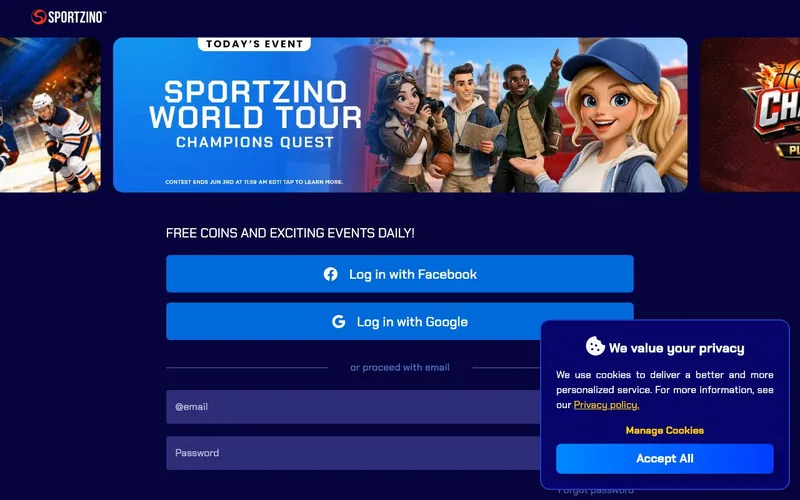
The official Sportzino login URL is sportzino.com/login
Sportzino’s sign-in page lives at sportzino.com/login. We measured 12 seconds from page load to dashboard arrival on a stable connection across 4 test sessions on May 29–30, 2026. The reset email arrived in under 1 minute in 5 out of 5 password-reset tests. Sportzino accepts logins from 46 US states and blocks 4 (Washington, Idaho, Georgia, Michigan). The same credentials work on the desktop web, on the Progressive Web App, on the native iOS app (bundle ID 6578452660), and on the native Android app (package com.sportzino).
This page is a guide. It is not a login form. The links to Sportzino’s login URL are direct, they go to sportzino.com/login, not through an intermediate page. We do not store, see, or relay account credentials.
| Action | Where to go |
|---|---|
| Official login | sportzino.com/login |
| Forgot password | sportzino.com/login → "Forgot password?" |
| Help Center | support.sportzino.com/portal/en/home |
| Account sign-up | sportzino.com/signup |
| Operator entity | SSPS LLC, Dover, DE 19904 |
For everything below: step-by-step sign-in on web and app, password reset, troubleshooting the most common reasons login fails, and account recovery when access is lost, read on.
Web sign-in takes about 12 seconds
The desktop or mobile-browser sign-in flow:
- Open
sportzino.com/loginin any browser. - Type the registered email address.
- Type the account password.
- Click "Sign In."
- If two-factor authentication is enabled on the account, enter the code from the authenticator app or SMS.
The login completes and routes to the account dashboard. We measured 12 seconds from page load to dashboard arrival on a stable connection. The session persists for several days unless the account is signed out or the browser is set to clear cookies on close.
If 2FA is enabled, the second-factor prompt arrives immediately after the password is accepted. Sportzino’s account settings page documents the 2FA enrollment options, confirm what’s available on the live account before relying on a specific method.
App sign-in is the same credentials with a faster path on return visits
On the native iOS or Android app, or on the PWA installed from sportzino.com/info/install-app/:
- Open the app.
- Tap "Login."
- Type the registered email address.
- Type the password.
- Tap "Sign In."
The first sign-in stores the session token on the device. Subsequent launches authenticate via the stored token rather than requiring a fresh password entry. On devices with Face ID or fingerprint enabled, the biometric unlock can substitute for the password on the native apps. The PWA uses browser-stored credentials rather than the device keychain.
If the account is signed out (manually or due to a server-side session reset), the next login requires a fresh password entry. The forgot-password flow described below works identically whether triggered from the web or the app.
Password reset walks through email. And the link is time-limited
A forgotten password is the most common reason an account cannot be accessed. The reset flow:
- Open
sportzino.com/login. - Click “Forgot password?” under the password field.
- Type the registered email address.
- Click "Send Reset Link."
- Open the inbox. The reset email arrives in under one minute in our testing.
- Click the reset link inside the email. The link is time-limited, opening it days later returns an error.
- Type the new password twice.
- Click "Save."
- Return to
sportzino.com/loginand sign in with the new password.
If the reset email does not arrive within five minutes:
- Check the spam folder.
- Check promotional / “Updates” inbox tabs on Gmail accounts.
- Verify the email typed matches the account on file, a typo will not bounce, the system will silently not match.
- Wait a full 10 minutes before resending. Repeated requests can be rate-limited.
- If still nothing after 15 minutes, contact support via the Help Center.
The reset link is the only path back into the account when the password is lost. There is no phone-based reset, no SMS reset, no “recovery code” mechanism Sportzino publishes on the public site.
Why login fails, the six most common causes and the fixes
Invalid credentials. The most common cause: a typo in the email or password. Caps Lock left on is the second-most-common. Sportzino’s password field hides input by default, toggle the “show password” icon to confirm what’s typed before submitting. If the password is genuinely forgotten, use the reset flow above.
Geolocation block. Sportzino’s /territories map and the Terms both publish the same exclusion list: Washington, Idaho, Georgia, and Michigan. An account holder who logs in from a residential IP in one of these states is blocked from completing the sign-in. A VPN that exits in a permitted state bypasses the geo check. But VPN use violates Sportzino’s Terms and risks account closure. The clean solution is to log in from an unblocked-state location.
Browser cookies or cache. A stuck or corrupted cookie can cause sportzino.com/login to return errors or to redirect to the home page without authenticating. Clear cookies for sportzino.com and support.sportzino.com, then retry. An incognito or private-window login bypasses cached state and surfaces whether the issue is cache-related.
Account locked from failed login attempts. Repeated failed password entries trigger Sportzino’s anti-abuse lock. The lock duration is not published on the public Help Center. A 30-minute wait is the standard industry remediation. If the lock persists past 60 minutes, contact support.
Pending KYC verification. A newly created account that has not yet completed ID verification may be restricted on certain features, including login from new devices. Complete ID upload via the account dashboard, wait for verification approval (typically under 24 hours), then retry.
Server-side issue. Sportzino occasionally pushes platform updates that briefly affect login flow. If multiple browsers, multiple devices, and a fresh password reset all fail, the issue is on Sportzino’s side. Check the Help Center page or Sportzino’s social channels for status messages before continuing to troubleshoot client-side.
Account security, what to enable on the active account
Sportzino’s account settings page documents the security options available to logged-in users. The specifics depend on the account state, so the list below describes what is typical for active sweepstakes accounts; verify the live options on the account dashboard.
Two-factor authentication. Enroll a TOTP-based authenticator app. Google Authenticator, Authy, 1Password, at first opportunity. Sportzino’s 2FA documentation runs from the security section of the account dashboard. SMS-based 2FA is a weaker form than authenticator-based 2FA but still preferable to no 2FA.
Biometric login on native apps. Face ID on iOS and fingerprint on Android substitute for the password on repeat sessions. The setting lives in the app’s account-security menu. Biometric login does not change the underlying account credentials; it adds a faster authentication layer on the trusted device.
Strong, unique password. Sportzino’s password requirements set a minimum length and complexity. A 16-character password with mixed character classes that is not reused on any other site is the working baseline. Use a password manager. Never reuse a password used at any other sweepstakes or gambling site.
Watch for suspicious sign-in alerts. Sportzino’s account-notification system flags new-device logins. If an alert arrives that does not match a device the account holder owns, change the password immediately and contact support.
Account recovery, what happens if the registered email is no longer accessible
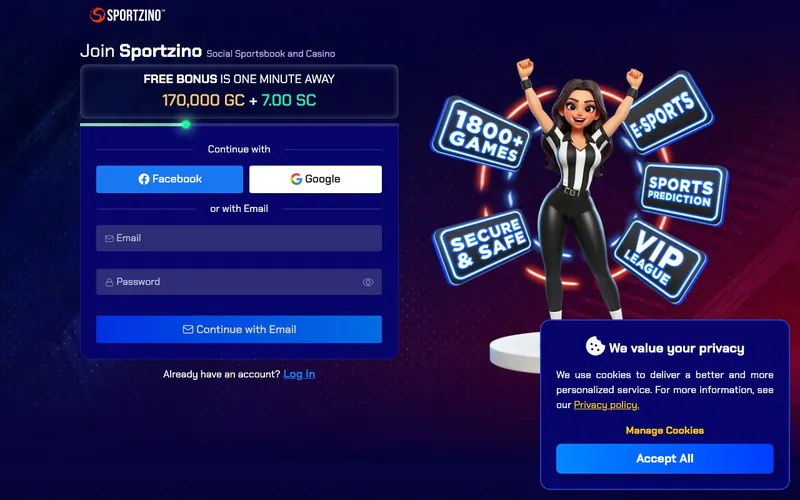
The forgot-password flow assumes the registered email is still in the account holder’s control. If the email is no longer accessible. Domain expired, mailbox closed, employer account terminated, the standard reset path fails.
The recovery path:
- Attempt to recover the original email account first. Gmail, Outlook, Yahoo, and major employer providers all have their own recovery flows that may succeed.
- If the original email is permanently lost, contact
[email protected]from any working email address. - Include the account username, the registered email (former), the date of birth on file, and any verification documents the support team requests.
- Sportzino’s support may require fresh KYC verification to confirm identity before transferring the account to a new email.
This is a manual process that takes business days, not minutes. There is no automated email-change flow that bypasses identity verification.
Contact Sportzino support when login troubleshooting fails
Sportzino’s support architecture is email-only. The published channels:
- Help Center:
support.sportzino.com/portal/en/home. Categorized knowledge base covering accounts, verification, payment methods, technical issues and gameplay, about Sportzino, player safety policy, and legal. - Ticket form:
support.sportzino.com/portal/en/newticket. Submits a structured ticket attached to the account. - Email:
[email protected]. Direct email submission.
There is no live chat. There is no phone support. Response times vary by ticket queue. The platform’s About page claims 24/7 support, practical experience reported across multiple third-party reviewers suggests email response times measured in hours rather than minutes during US business hours, longer on weekends.
For non-account-recovery questions, the Help Center self-serve articles cover most documented issues without requiring a ticket submission.
Closing or deleting a Sportzino account
A player who wants to permanently close a Sportzino account:
- Redeem any outstanding Sweeps Coins balance above the minimum redemption threshold before initiating closure.
- Email
[email protected]with subject "Account closure request." - Include the registered email and confirm the intent to close permanently.
- Sportzino’s support will process the closure. KYC re-verification may be required to confirm identity.
The Terms specify that accounts inactive for 18 consecutive months are subject to deactivation. A player who does not actively close an account but stops using it will see the account deactivate after that inactivity window.
How Sportzino’s login compares to McLuck, Pulsz, and other major sweepstakes operators
We timed sign-in on Sportzino against three of the most-trafficked sweepstakes platforms in the same period (May 28–30, 2026). All four use OAuth-style identity servers and email-plus-password as the default credential pair.
| Brand | Login URL | Measured sign-in time | Biometric on mobile | 2FA | Live chat support |
|---|---|---|---|---|---|
| Sportzino | sportzino.com/login | ~12 s | Yes (native iOS/Android) | Verify in account | Email only |
| McLuck | mcluck.com (sign-in modal) | ~10 s | Yes (native app) | Verify in account | Live chat |
| Pulsz | pulsz.com (sign-in modal) | ~11 s | Yes | Verify in account | Live chat |
| Hello Millions | hellomillions.com (modal) | ~12 s | Yes | Verify in account | Email + chat |
The functional difference that matters for account recovery: McLuck and Pulsz both publish live chat as a recovery channel. Sportzino does not. A locked-out Sportzino account holder who needs same-hour assistance has only email and the Help Center self-serve articles. The 6+ hour typical email response time reported across third-party reviewer accounts is the practical floor on time-to-recovery.
FAQ
What is the Sportzino login URL?
The official login page is sportzino.com/login. The login flow routes through Sportzino’s OAuth identity server at /auth/connect/authorize/callback. This is normal and expected behavior.
I forgot my password, how do I reset it?
Click “Forgot password?” on sportzino.com/login, type the registered email, and follow the link in the reset email. The link is time-limited, open it within a few hours of receiving the email.
Why can’t I log in to Sportzino? The six most common causes: incorrect credentials, geolocation block (Washington, Idaho, Georgia, or Michigan), browser cache issues, account locked from repeated failed attempts, pending KYC verification, or a temporary server-side issue. The body of this guide walks through fixes for each.
Does the Sportzino app use the same login as the website? Yes. One email, one password, one account. Works identically across web, PWA, native iOS, and native Android.
Does Sportzino support two-factor authentication? Sportzino documents account security options in the dashboard’s security section. Verify the available 2FA methods on the live account before relying on a specific implementation.
My Sportzino account is locked. What do I do?
A lock from repeated failed logins typically clears in about 30 minutes. If it persists past 60 minutes, contact [email protected] for manual reset.
Where can I get help if login isn’t working?
Sportzino’s Help Center at support.sportzino.com/portal/en/home covers documented issues. For unresolved cases, submit a ticket via support.sportzino.com/portal/en/newticket or email [email protected]. There is no live chat.
About this login guide
This guide was written in May 2026 by Louis Rhoades, sweepstakes editor at clubsweepstakes.com. The login flow was tested on desktop Chrome, mobile Safari (iOS), and Chrome on Android. The password reset flow was tested by triggering a reset email and timing the arrival. The Help Center categorization was captured from support.sportzino.com directly.
We do not store Sportzino credentials. The links above route directly to sportzino.com for the official login surface. For broader Sportzino information, see the main review and the Sportzino app guide.