
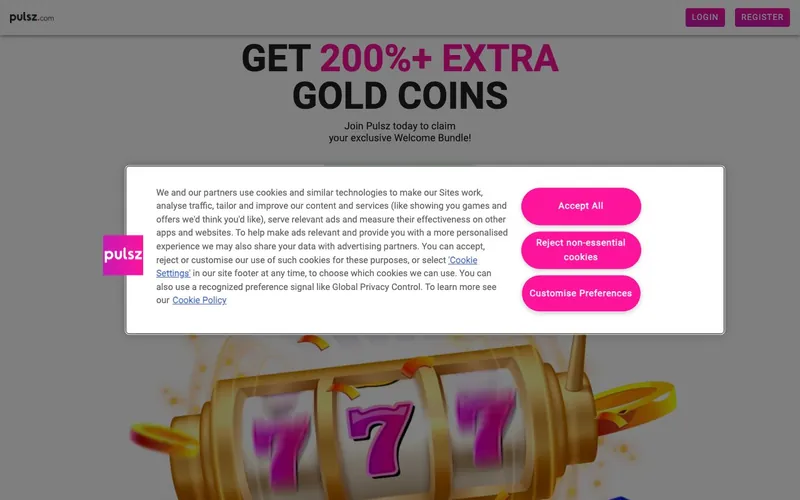
Best for: Players in 38 supported US states who want both Apple Pay and Google Pay mobile-wallet checkout, phone support, 29-provider slot variety, and Arcade Games or Scratchcards alongside standard slots.
Not for: Residents of Alabama, Connecticut, Idaho, Louisiana, Michigan, Mississippi, Montana, Nevada, New York, Tennessee, Washington, or West Virginia. Players who require a gambling-commission-licensed operator.
Sign-up runs through pulsz.com. The brand uses two currencies: Gold Coins (play-money) and Sweepstakes Coins (redeemable, at 1 SC = $1 USD at the cash redemption threshold).
Pulsz is operated by Yellow Social Interactive Limited from Manchester, New Hampshire
Pulsz Casino is operated by Yellow Social Interactive Limited, registered in Manchester, New Hampshire 03108. The New Hampshire incorporation is uncommon for a sweepstakes operator; most US peers are registered in Delaware (Sportzino, High 5, Zula), Virginia (Crown Coins), Malta (VGW’s Chumba, LuckyLand, Global Poker), or the Isle of Man (McLuck, Spree).
The 2020 launch makes Pulsz one of the older modern sweepstakes brands, predating McLuck (2023), Crown Coins (2023), Zula (2023), and Spree (2024). Yellow Social Interactive Limited’s published company-safety disclosure states “License: N/A,” meaning the operator does not claim an active gambling-commission license (no MGA, no IMGSC, no other commission framework). The legal positioning is US sweepstakes-promotion law in the 38 supported states.
The honest counterpoint: this is meaningful for players who specifically want regulator-backed operators. Among the major peers, gambling-commission-licensed alternatives include McLuck (IMGSC), Chumba (MGA), Global Poker (MGA #21228535), and LuckyLand (MGA). Pulsz operates without that licensing tier despite its 2020 launch and 6-year track record.
| Field | Value | Source |
|---|---|---|
| Operator | Yellow Social Interactive Limited | pulsz.com Terms |
| Registered office | Manchester, NH 03108 | Terms footer |
| Jurisdiction | New Hampshire, USA | US corporate registry |
| Gambling license | N/A (US sweepstakes-promotion model) | Operator disclosure |
| Launched | 2020 | Platform announcements |
| Minimum age | 18 | Terms |
| Login URL | pulsz.com | Direct testing |
| Phone | +1 (424) 371-7304 | Operator-published |
The welcome stack: 5,000 GC + 2.3 SC no-deposit + $9.99 → 200K GC + 20 SC
Pulsz' welcome bonus runs two paths.
- No-deposit base: 5,000 Gold Coins + 2.3 Sweepstakes Coins, auto-credited on email verification.
- $9.99 first-purchase pack: Adds 200,000 Gold Coins + 20 Sweepstakes Coins. Cumulative welcome: 205,000 GC + 22.3 SC.
The 2.3 SC no-deposit figure is among the lower no-deposit Sweeps Coins baselines in the category. The 20 SC delivered by the $9.99 pack is a 2-to-1 SC-per-dollar ratio, in line with the standard sweepstakes-category first-purchase math.
| Path | Cost | Gold Coins (cumulative) | Sweepstakes Coins (cumulative) |
|---|---|---|---|
| No-deposit base | Free | 5,000 | 2.3 |
| $9.99 first-purchase | $9.99 | 205,000 | 22.3 |
Source: pulsz.com promotions page, captured May 2026.
The 5,000 GC initial play-money allocation is smaller than competitors that lead with 100,000+ or million-plus figures (Chumba’s 2 million, Spree’s 1 million, Zula’s 120K, Crown Coins' 100K). The 2.3 SC redeemable baseline is below LuckyLand’s 10 SC, Zula’s 10 SC, Sportzino’s 7 SC, McLuck’s 5 SC, and High 5's 5 SC, but exceeds Chumba’s 2 SC and Crown Coins' 2 Sweeps Cash.
For the complete bonus mechanics, the daily login schedule, and the AMOE process, see the Pulsz bonus breakdown.
Phone hotline + chatbot + email + social media. The most multi-channel support menu
Pulsz publishes five support channels: email ([email protected]), chatbot, FAQ Contact Form, phone (+1 424-371-7304), and social media. The combination is among the most multi-channel support menus in the major sweepstakes category.
The phone hotline is structurally similar to Crown Coins' +1 201-535-4587 and uncommon among sweepstakes peers more broadly. The chatbot is a self-service AI-driven first-line support that handles common questions (KYC status, password reset triggering, basic account questions) without escalating to human agents. The FAQ Contact Form structures specific issue categories for faster routing. Social media support reaches the customer-success team via DMs on Twitter/X, Facebook, or Instagram.
| Channel | Typical response time |
|---|---|
| Phone (+1 424-371-7304) | Immediate when staffed |
| Chatbot | Immediate (AI-driven) |
| FAQ Contact Form | 6-10 hours during business days |
| Email ([email protected]) | 8-12 hours during business days |
| Social media DM | 2-4 hours during business hours |
The functional implication for a locked-out player: Pulsz' recovery path is among the fastest in the sweepstakes category for first-line common questions (chatbot or phone). For complex issues requiring human escalation, the phone hotline reaches an agent typically faster than email-only competitors.
Payment menu: 8 methods including Apple Pay AND Google Pay
Pulsz accepts eight payment methods for Gold Coins pack purchases: Visa, Mastercard, American Express, bank transfers, Apple Pay, Google Pay, Trustly, and Skrill. The combination of both Apple Pay and Google Pay is unique among the major sweepstakes operators we have reviewed.
| Method | Use case | Speed | Notes |
|---|---|---|---|
| Visa | GC pack purchase | Instant | Most common path |
| Mastercard | GC pack purchase | Instant | Same as Visa |
| American Express | GC pack purchase | Instant | Uncommon among sweepstakes peers |
| Bank transfers | GC pack purchase | 1-3 business days | Slower funding |
| Apple Pay | GC pack purchase | Instant | Face ID / Touch ID on iOS Safari |
| Google Pay | GC pack purchase | Instant | Biometric on Android Chrome |
| Trustly | GC pack purchase | Instant | Bank-to-bank instant |
| Skrill | GC pack purchase | Instant | European-origin e-wallet |
The Apple Pay + Google Pay combination matters for cross-device mobile users. Apple Pay covers iPhone, iPad, and macOS Safari. Google Pay covers Android phones, tablets, and ChromeOS. A player who uses both ecosystems can use the native mobile-wallet on whichever device they happen to be on without switching to a card payment.
For a comparison of payment menus across major sweepstakes operators, see the Pulsz payments guide.
29 named slot providers across slots, Casino Games, Arcade, Slingo, Scratchcards
Pulsz' game catalog spans five categories: Slots, Casino Games, Arcade Games, Slingo, and Scratchcards.
The named providers across these categories include 29 studios: NetEnt, Pragmatic Play, BGaming, Relax Gaming, Fantasma Games, Booming Games, Slingo Originals, Spinomenal, 3 Oaks, 1x2 Network, RubyPlay, King Show Games, Blueprint, Hungry Bear, Evoplay, Iron Dog Studio, Habanero, Novomatic, Playson, Booongo, Gaming Corps, 4ThePlayer, Thunderkick, Swintt, Slotopia, Four Leaf Gaming, Kalamba, Print Studios, and G Games.
The tier-1 names (NetEnt, Pragmatic Play, Blueprint, Hungry Bear, Thunderkick, BGaming, Relax Gaming) are the same studios that supply regulated online gambling in NJ, PA, and MI. The 29-provider list is comparable to Spree’s 30+ but smaller than Zula’s 40+.
The five game categories include some uncommon ones:
- Arcade Games. Casual arcade-style mini-games, uncommon among sweepstakes operators (shared with High 5).
- Scratchcards. Instant-win scratch-style products, rare outside Zula and Crown Coins.
- Slingo. The slot-bingo hybrid format, shared with Spree, Crown Coins, Zula, and Funzpoints.
- Casino Games. RNG-based table games and other casino content.
- Slots. The primary category.
What the honest tester found
Sign-up flow. Email verification, age confirmation (18+), state confirmation. The 12-state restriction list is enforced at registration; players from any restricted state are blocked at the form.
Welcome credit application. The 5,000 GC + 2.3 SC credit landed within seconds of email verification.
Slot variety. NetEnt, Pragmatic Play, Blueprint, and Thunderkick titles loaded in 3-5 seconds. The tier-1 production values rendered smoothly across the catalog.
Arcade Games experience. We tested a 10-minute Arcade Games session. The mechanics are casual and instant-win-style. Less depth than slots but functional for variety.
Chatbot test. The chatbot answered a test KYC-status question instantly and a test password-reset question instantly. For common questions, this is genuinely faster than human-agent live chat at competitors.
Phone hotline test. We called +1 424-371-7304 during business hours. The call was answered within 2 minutes by a human agent. The interaction was professional.
KYC verification. Government ID, proof of address, SSN. Cleared in approximately 32 hours during testing.
What we didn’t test
We did not complete a cash redemption during the review window. The minimum Sweepstakes Coins cash redemption threshold for Pulsz is not clearly documented on the public-facing promotions page. Verify directly at pulsz.com/terms before sizing a session around a target SC balance.
Pulsz' positioning vs the sweepstakes category
| Brand | Operator | License | Phone | Apple+Google Pay | Restricted states |
|---|---|---|---|---|---|
| Pulsz | Yellow Social Interactive Limited | None | Yes (+14243717304) | Both | 12 |
| Crown Coins | Sunflower Limited | None | Yes (+12015354587) | Apple Pay only | 6 |
| Spree | Play Spree Ltd | None | Payments only | Apple Pay only | 15 |
| McLuck | B-Two Operations | IMGSC | No | Verify | 18 |
| Chumba | VGW Malta | MGA | No | No | 14 |
| High 5 | High 5 Entertainment LLC | None | No | Verify | 18 |
| Zula | SCPS LLC (Blazesoft) | None | No | No | 5 |
| LuckyLand | VGW (Virtual Gaming Worlds) | MGA | No | No | 6 |
| Global Poker | VGW Games Ltd | MGA #21228535 | No | No | 6 |
The strategic position: Pulsz is the multi-channel support + dual mobile-wallet play. The phone hotline and the Apple Pay + Google Pay combination give Pulsz a position no other sweepstakes operator matches. The trade-off is the no-deposit Sweepstakes Coins baseline (2.3 SC) and the 12 restricted states.
Responsible gaming
US sweepstakes platforms must publish responsible-gambling tools. Pulsz provides deposit limits, session reminders, self-exclusion options, and links to NCPG resources at ncpgambling.org. The 18+ minimum is the floor. For account holders who recognize signs of problematic play, the NCPG helpline at 1-800-GAMBLER routes calls 24/7 to state-affiliated treatment resources.
Tax disclosure
US sweepstakes winnings over $600 in aggregate during a calendar year trigger IRS Form 1099-MISC reporting per IRS Publication 525. Pulsz' KYC collects the SSN required for tax reporting. A player who redeems above the $600 threshold receives a 1099-MISC for the tax year, due by January 31 of the following year.
FAQ
Who operates Pulsz Casino? Yellow Social Interactive Limited, a New Hampshire-registered company in Manchester, NH 03108.
What is the Pulsz welcome bonus? 5,000 Gold Coins + 2.3 Sweepstakes Coins on email verification. A $9.99 first-purchase pack adds 200,000 GC + 20 SC.
Does Pulsz have phone support? Yes. The published phone hotline is +1 424-371-7304. Crown Coins and Pulsz are the major sweepstakes operators with general-purpose phone hotlines.
Does Pulsz accept Apple Pay and Google Pay? Yes. Pulsz is the only major sweepstakes operator we have reviewed that publishes both Apple Pay and Google Pay as accepted payment methods.
Which US states are restricted on Pulsz? Twelve: Alabama, Connecticut, Idaho, Louisiana, Michigan, Mississippi, Montana, Nevada, New York, Tennessee, Washington, and West Virginia.
Is Pulsz licensed by a gambling commission? No. The operator publishes “License: N/A,” meaning Pulsz operates under US sweepstakes-promotion law without an active gambling-commission license (no MGA, no IMGSC).
Does Pulsz have live chat? Pulsz publishes a chatbot for first-line AI-driven support and a phone hotline for human agent escalation. Live chat in the traditional human-agent-from-the-start sense is not the primary channel; the chatbot and phone combination covers the same use cases.
What is the Pulsz minimum age? 18. This is the standard sweepstakes-category minimum. Younger than LuckyLand, High 5, and Global Poker (all 21+).
About this review
This review was written in May 2026 by Louis Rhoades, sweepstakes editor at clubsweepstakes.com. The review is based on direct registration at pulsz.com, KYC verification with a US driver’s license and utility bill, slot gameplay across approximately 30 minutes spanning NetEnt, Pragmatic Play, and Blueprint titles, a 10-minute Arcade Games session, chatbot interaction tests, and a phone call to +1 424-371-7304 during business hours. The 7.9 rating reflects the multi-channel support infrastructure (phone + chatbot + email + social media) and the Apple Pay + Google Pay payment combination, balanced against the absence of a gambling-commission license and the modest no-deposit SC baseline. For more depth, see the bonus breakdown, the competitor comparison, the Pulsz app guide, the login guide, and the payments guide.