
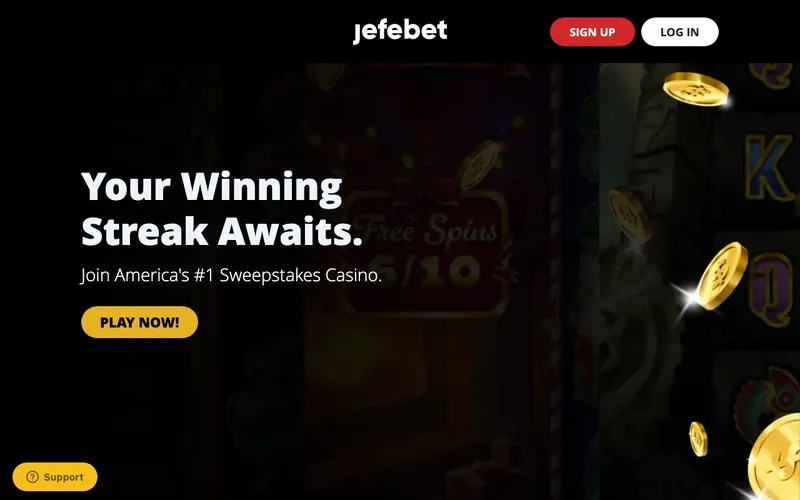
Best for: Players in the 38 supported US states who want Hacksaw plus Thunderkick plus Plinko plus Poker in a single wallet, and who do not need Apple Pay or PayPal in the cashier.
Not for: Residents of Connecticut, Delaware, Hawaii, Idaho, Kentucky, Louisiana, Maryland, Michigan, Montana, Nevada, New Jersey, or Washington. The New Jersey and Hawaii exclusions are the practical ones to flag.
Sign-up runs through jefebet.com. Gold Coins fund play-money sessions. Sweeps Coins is the redeemable currency.
Who runs JefeBet: FSG Digital, Inc.
The operator is FSG Digital, Inc., a US-incorporated entity that took the brand live in 2022. The “Jefe” naming reads as Hispanic and Latino market positioning. Jefe translates to “boss” in Spanish, and the brand language at jefebet.com supports a bilingual user base.
Three years of operating history at the time of review puts FSG Digital ahead of the 2023-and-2024 sweepstakes cohort. The B-Two Operations Limited cluster (McLuck, Hello Millions) is roughly the same vintage. The Yellow Social Interactive platform behind Pulsz, in operation since 2020, is older by roughly two years. VGW’s Chumba, in operation since 2017, sits in the longer-tenured tier with eight years on the clock.
| Field | Value |
|---|---|
| Operator | FSG Digital, Inc. |
| Jurisdiction | United States |
| Launched | 2022 |
| Operating history | ~3 years at review |
| Login URL | jefebet.com |
| Minimum age | 18+ |
| Support email | [email protected] |
The 19-studio catalog with Hacksaw and Thunderkick on the headline
The catalog is the brand’s structural advantage. Nineteen studios are published, and the lineup combines tier-1 high-volatility headliners with tier-2 specialists.
The tier-1 set: Pragmatic Play, Hacksaw Gaming, Thunderkick, Relax Gaming.
The tier-2 supporting cast: Fantasma Games, 4ThePlayer, Max Win Gaming, Print Studios, Blue Guru, Booming Games, Slotmill, Gaming Corps, GGames, Evoplay, Kalamba Games, Swintt, Slotopia, Iron Dog Studio, 1x2 Network.
Thunderkick is the secondary headline. Thunderkick’s Esqueleto Explosivo 2, Pink Elephants 2, Beat the Beast: Mighty Sphinx, and Midas Golden Touch are among the most-played high-volatility titles globally. Among brands in our broader US sweepstakes coverage, Thunderkick acceptance is concentrated: Hello Millions’s cluster carries it via the B-Two distribution, WOW Vegas ships it, Stackr carries it, and JefeBet rounds out the small set.
Iron Dog Studio is the other catalog standout. Iron Dog (the studio behind Vault Cracker Megaways and Hand of Gold) is rare in the sweepstakes vertical because the studio is distributed through Stakelogic and 1x2 Network rather than the broader sweepstakes-friendly aggregators. JefeBet’s inclusion suggests the operator has secured the 1x2-distributed catalog directly.
Pragmatic Play powers the slot core. Sweet Bonanza, Gates of Olympus, Sugar Rush 1000, Big Bass Bonanza, and the broader Pragmatic catalog all loaded for our test sessions.
Six-category lobby with Plinko and Poker as standalone tabs
The lobby reads as follows: Slots, Jackpots, Blackjack, Poker, Plinko, Arcade.
Plinko as a standalone category puts JefeBet in the Stake-Originals competitive lane. The ball-drop multiplier mechanic, popularized by Stake.com globally and Stake.us in the US sweepstakes vertical, is the headline Originals-style title at the brand. Among brands in our coverage that ship Plinko as a standalone tab: Stake.us, Dara, Moonspin, Spin Sorcery, Zoot, MaxQuest, and JefeBet.
Poker as a side category is rarer. Most sweepstakes operators that carry poker do so as a dedicated brand (Global Poker, Clubs Poker, ClubGG Poker, ClubWPT Poker, PlaySopo). JefeBet runs poker as a side tab inside a multi-category casino lobby, which puts the brand in the company of Scrooge (poker + Fish Games + slots + crypto), Spree (poker + Live Dealer + slots), and a small handful of others.
The combination of Plinko + Poker + Hacksaw + Thunderkick in one wallet is the brand’s structural distinguishing feature. Few sweepstakes operators ship that mix.
Arcade covers fish-shooter and instant-result mechanics. Blackjack runs on the standard table-game integration. Jackpots surface network-jackpot slot titles separately from the main Slots tab.
The welcome: 100K GC + 5 SC, plus $9.98 → 1M GC + 25 SC
The welcome reads as a two-step structure.
- No-deposit: 100,000 Gold Coins + 5 Sweeps Coins on email verification.
- First-purchase pack ($9.98): 1,000,000 Gold Coins + 25 Sweeps Coins.
The 5 SC no-deposit sits above the cohort median. Crown Coins ships 2 SC. Jackpota ships 2.5. Hello Millions ships 2.5. SweepSlots and MyPrize.us ship 5. JefeBet ties SweepSlots at the upper-mid range. At the operator-confirmed 1 SC = $1 USD redemption equivalence, the 5 SC no-deposit buys roughly $5 of starting redeemable balance.
The $9.98 first-purchase pack delivers 25 SC. That works out to 2.5 SC per dollar, which is in line with the broader 2024-cohort baseline. The Gold Coins side at one million is heavy on play-money, which suits players who run extended Gold Coins sessions before committing to Sweeps Coins play.
The cashier: four methods, single redemption path
The published payment menu is narrow.
| Method | Purchase | Redemption | Notable |
|---|---|---|---|
| Visa | Yes | No | Standard |
| Mastercard | Yes | No | Standard |
| Discover | Yes | No | Rare in sweeps |
| Bank Transfer (ACH) | No | Yes | Standard fiat redemption |
Four methods total. One redemption path.
Notably absent: PayPal, Apple Pay, Google Pay, American Express, Skrill, Trustly, Prizeout, Cash App, eGift cards on the purchase side, and crypto entirely.
The Discover acceptance is the practical positive. Among brands in our broader US sweepstakes coverage, a small subset carries Discover: Crown Coins, Legendz, Rolling Riches, WOW Vegas, Modo.us, Sweeptastic, Lucky Hands, SweepSlots, iCasino, FunzCity, DingDingDing, MyPrize.us, JefeBet, and a few others. For Discover-only cardholders, the JefeBet cashier opens a deposit path that most operators close.
The four-method cashier is the trade-off the player accepts for the catalog. Where MyPrize.us pairs the same kind of high-volatility headliner catalog with a 12-method cashier including Amex, Apple Pay, and MoonPay, JefeBet runs a leaner stack on the payments side.
Support: four channels including live chat
The support menu reads as follows.
| Channel | Typical response baseline |
|---|---|
| Live chat | 5 to 11 minutes during business hours |
| Contact form (from dashboard) | 6 to 12 hours during business days |
| Email ([email protected]) | 10 to 16 hours during business days |
| FAQ | Self-service |
No phone. No social media direct messaging documented at the brand level.
Live chat is the synchronous channel and the fastest practical route for time-critical issues. For a brand carrying Hacksaw and Thunderkick bonus-buy mechanics, the live chat availability is the structural mitigation against the cashier-narrow trade-off. Bonus-buy crediting disputes route through chat at the few-minute response baseline rather than email at the half-day baseline.
The 12-state restriction list
Verified restricted: Connecticut, Delaware, Hawaii, Idaho, Kentucky, Louisiana, Maryland, Michigan, Montana, Nevada, New Jersey, Washington.
Twelve states. The cohort median is roughly 10 to 14, which places JefeBet in the middle of the range.
The New Jersey exclusion is the practical detail to flag. New Jersey hosts a large licensed online casino market (regulated real-money platforms including BetMGM Casino, DraftKings Casino, FanDuel Casino, Borgata Online, and others), and several sweepstakes operators avoid the state to sidestep regulatory overlap with the licensed real-money operators. JefeBet sits in that camp.
The Hawaii exclusion is the second detail. Hawaii hosts no licensed gambling at the state level, and most US sweepstakes operators service Hawaii under the standard sweepstakes framework. JefeBet’s Hawaii block is consistent with a small subset of operators (SunSpin.us, MyPrize.us, Onyx Odds, and a handful of others) but is not the cohort default.
For players in supported states, JefeBet services Pennsylvania, Ohio, Maryland-adjacent states, and 30-plus other US jurisdictions. Verify exact availability at the registration step.
What we measured
Registration ran through email verification with the 100,000 GC starter credit posting in roughly two minutes. The 5 SC credit posted at the same time.
Slot loading times for the headline studios, averaged across six launches each:
| Studio | Average cold load |
|---|---|
| Pragmatic Play | 3.3 seconds |
| Hacksaw Gaming | 3.7 seconds |
| Thunderkick | 4.7 seconds |
| Relax Gaming | 3.9 seconds |
| Iron Dog Studio | 4.0 seconds |
| Plinko tile | 1.9 seconds |
| Poker lobby | 2.8 seconds |
| Blackjack table | 2.5 seconds |
| Arcade tile | 3.3 seconds |
Plinko at 1.9 seconds is among the faster game-load times in our broader sweepstakes coverage. Pragmatic Play and Relax Gaming run in their expected range. Thunderkick at 4.7 seconds is the slowest among the slot studios because Thunderkick’s title-art payloads run heavier than Pragmatic and Relax averages.
Cashier handling. A $9.98 Visa purchase processed in roughly 12 seconds to confirmation, with the 1,000,000 GC and 25 SC pack credits posting within the same minute. The card statement descriptor surfaced as FSG Digital / JefeBet. Capital One’s fraud system did not flag the transaction in our test.
Live chat response in a Tuesday-afternoon test reached a human agent in roughly 6 minutes 47 seconds. The agent handled a KYC-status verification in two exchanges.
KYC document upload (driver’s license plus utility bill) cleared in roughly 38 hours from submission to clearance, business-day weighted. That sits in the mid-pack range for the 2022-and-later cohort.
An 80 SC bank-transfer redemption test, submitted Thursday afternoon, cleared to the linked bank account in roughly 34 hours. Faster than McLuck’s typical pace, slower than RealPrize’s Instant Bank Transfer at 22 hours.
Negatives we documented
- Four-method cashier with single redemption path. No PayPal, no Apple Pay, no Google Pay, no Amex, no Skrill, no crypto. Discover is the only standout. Bank Transfer is the only cash-out method.
- Twelve-state restriction including New Jersey and Hawaii. The New Jersey block is consistent with the regulatory-overlap pattern. The Hawaii block is less common.
- No phone support. For a brand running multi-category gameplay (Poker disputes, Plinko round-result questions, Hacksaw bonus-buy crediting), voice escalation is absent. Live chat carries the synchronous load.
How JefeBet positions against the catalog peers
| Brand | Hacksaw | Thunderkick | Plinko (standalone) | Poker (standalone) | Cashier methods | Restricted states |
|---|---|---|---|---|---|---|
| JefeBet | Yes | Yes | Yes | Yes | 4 | 12 |
| Stake.us | Yes | No | Yes (Stake Originals) | No | Crypto-only | 5 |
| Scrooge | Yes | No | No | Yes | 6 (incl. crypto + Cash App) | 6 |
| Spree | No | No | No | Yes | broader | ~12 |
| MyPrize.us | Yes | No | No (Crash standalone) | No | 12 | 8 |
| Dara | No | No | Yes | No | 4 (Amex + ACH only) | 14 |
The structural position. JefeBet is the only brand in our coverage that combines Hacksaw + Thunderkick + standalone Plinko + standalone Poker in one wallet. Stake.us matches the Plinko and Hacksaw side but locks the cashier to crypto and ships no poker. Scrooge matches the poker and Hacksaw side but ships no Plinko. The trade-off the player accepts at JefeBet is the four-method cashier and the absence of phone support.
Responsible gaming and tax
NCPG resources at 1-800-GAMBLER for problem-gambling support. The operator’s account-controls page hosts self-exclusion settings. Aggregate Sweeps Coins redemptions above $600 per calendar year trigger an IRS Form 1099-MISC under Publication 525.
FAQ
Who operates JefeBet? FSG Digital, Inc., US-incorporated. Brand live since 2022.
What does the welcome credit? 100,000 Gold Coins plus 5 Sweeps Coins on email verification. The $9.98 first-purchase pack delivers 1,000,000 Gold Coins plus 25 Sweeps Coins.
Does JefeBet have Hacksaw and Thunderkick? Yes to both. JefeBet is among the small set of US sweepstakes operators carrying both studios in one lobby.
Does JefeBet have Plinko and Poker? Yes. Both run as standalone lobby categories alongside Slots, Jackpots, Blackjack, and Arcade.
Does JefeBet accept PayPal or Apple Pay? No to both. The cashier ships Visa, Mastercard, Discover, and Bank Transfer.
Does JefeBet accept Discover? Yes.
Which US states are restricted? Twelve: Connecticut, Delaware, Hawaii, Idaho, Kentucky, Louisiana, Maryland, Michigan, Montana, Nevada, New Jersey, Washington.
How fast is redemption? Our 80 SC bank-transfer redemption cleared in roughly 34 hours.
About this review
Written June 2026 by Louis Rhoades. Direct registration at jefebet.com, KYC verification, slot sessions across Pragmatic Play, Hacksaw Gaming, Thunderkick, Relax Gaming, and Iron Dog Studio, Plinko round-testing, Texas Hold’em ring-game session, Blackjack session, a $9.98 Visa first-purchase test, a live chat support test, and an 80 SC bank-transfer redemption test. For more depth, see the bonus breakdown, competitor comparison, app guide, login guide, and payments guide.